
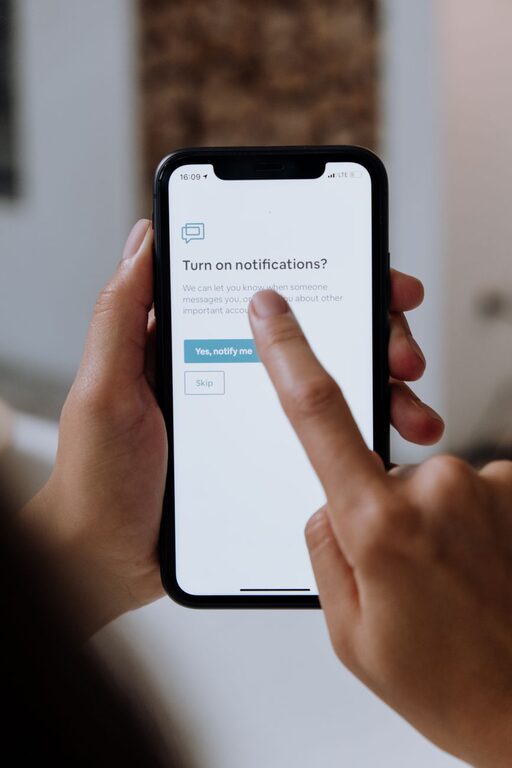
In today’s digital age, notifications are a constant presence in our lives. From emails and social media alerts to app reminders and messages, these interruptions can quickly overwhelm us and disrupt our focus. While notifications serve important purposes, unchecked alerts may lead to stress, reduced productivity, and difficulty concentrating. Fortunately, setting boundaries with notifications is a simple yet powerful way to regain control and improve your overall well-being.
This article explores practical tips for managing notifications effectively. Whether you’re working from home, trying to focus on a project, or looking to create a better balance between work and personal time, these strategies will help you make technology work for you—not the other way around.
Why Setting Boundaries with Notifications Matters
Before diving into specific tips, it’s helpful to understand why managing notifications is valuable:
– Improved focus and productivity: Constant alerts can break your concentration, making it harder to complete tasks.
– Reduced stress: Notifications can create a sense of urgency and overwhelm, increasing anxiety.
– Better work-life balance: Setting limits prevents work notifications from spilling into your personal time.
– Enhanced mindfulness: Being intentional about your attention supports mental clarity and presence.
With that in mind, here are some actionable tips to help you set boundaries and take charge of your digital environment.
1. Audit Your Notifications
Start by reviewing which apps and services send you notifications.
– Identify essential alerts: Keep only those notifications that are necessary for your daily tasks or emergencies.
– Disable non-essential notifications: Silence or turn off alerts from apps that do not require immediate attention, such as games or social media.
– Group similar notifications: Some devices allow you to bundle notifications to check later instead of receiving them immediately.
This audit creates a clearer picture of what truly matters and what can wait.
2. Customize Notification Settings Per Device
Different devices offer various options for controlling alerts:
– Use Focus or Do Not Disturb modes: Most smartphones and computers have features that temporarily silence notifications. Schedule these modes during work hours or before bedtime.
– Set priority notifications: Allow only calls, messages, or apps you prioritize to notify you when others are muted.
– Adjust notification sounds and vibrations: Soften alert tones or switch to silent vibrate to reduce distraction.
Tailoring settings on each device ensures your notifications support your lifestyle rather than disrupt it.
3. Establish Specific Times to Check Notifications
Constantly checking your devices can interfere with productivity. Instead:
– Designate “notification check” times: For example, review emails and messages every hour or at specific breaks.
– Avoid reacting immediately: Resist the urge to respond instantly. This helps you control your time and attention.
– Use technology to support this habit: Apps and built-in device features can help you schedule notification windows.
This approach encourages focus by reducing interruptions and promoting mindful technology use.
4. Use App Restrictions and Screen Time Features
Many devices include built-in tools to help manage how much time you spend on apps and control notifications.
– Set daily limits: Restrict access to distracting apps during work or study hours.
– Pause notifications from specific apps: Temporarily block alerts to stay focused.
– Review usage reports: Understand your habits to make informed changes.
Leveraging these tools adds another layer of control over your digital environment.
5. Communicate Your Notification Preferences
Whether at work or with family and friends, setting expectations about notifications can reduce pressure.
– Inform colleagues of your availability: Let them know when you will respond to messages.
– Set clear boundaries: For example, avoid work notifications during meals or after certain hours.
– Encourage others to respect your boundaries: This helps maintain a healthy balance.
Open communication keeps everyone aligned and supports your efforts to reduce digital distractions.
6. Create Tech-Free Zones and Times
Designate physical spaces and times when devices are off-limits.
– Establish device-free areas: Such as the dining room or bedroom.
– Schedule tech-free time periods: For example, the first hour after waking or the last hour before bed.
– Use this time for relaxation, family, or hobbies: This supports overall well-being and reduces screen fatigue.
Creating these boundaries reinforces your control over notifications and tech use.
7. Regularly Reevaluate Your Notification Settings
Your needs change over time, so it’s important to revisit your notification boundaries periodically.
– Check for new app notifications: Apps update and may add new alerts.
– Adjust settings according to your schedule: For example, during busy work periods or vacations.
– Reflect on what’s working: Adapt your strategies for optimal balance.
Continuous evaluation keeps your approach effective and aligned with your goals.
—
Conclusion
Setting boundaries with notifications is essential to maintaining focus, reducing stress, and nurturing a balanced relationship with technology. By auditing your notifications, customizing device settings, scheduling check-ins, using built-in restrictions, communicating with others, creating tech-free zones, and regularly reevaluating your habits, you can take control of your digital life.
Remember, the goal isn’t to eliminate notifications completely but to manage them in a way that supports your priorities and well-being. Start small, be consistent, and enjoy the benefits of a more focused and peaceful day.